Your must-read training & CPD update

To view this email online, 

Scomis - Your ICT Partner.

Hello 


Welcome to September's Training Newsletter, the first of this new academic year. Three main sections to this month's email, and a reminder of the free online resource available to all Scomis customers, ScoLearn.


First of all - the next two months' upcoming training, with links for you to book. We've split them by phase, by customer need, and by job role, to help you navigate your way to the right course. 


Next we have an update on our fantastic Training Panel.


Then we have 'Meet your trainer,' a feature that we introduced as an outcome from our Training Panel's insights. 


And if you know what you're looking for, or want to browse our training courses for inspo, you can go straight to our training course timetable


Visit our training course timetable

Our team of experienced trainers offer bespoke and onsite training for your school or trust. Please contact us directly if you'd like to discuss your requirements and explore the most impactful and cost-effective training for your establishment.

Upcoming courses


The next two months' training courses, with links to find out more and save your spot.


COURSES ORGANISED BY PHASE


Primary

26th September – SEND in SIMS for new users

3rd October – Session 1 of SIMS New User Course

4th October – Session 2 of SIMS New User Course

4th October – Attendance in SIMS

31st October – SIMS New User – FULL DAY Classroom Based Course


Secondary

26th September – SEND in SIMS for new users

28th September – Producing the School Census for Secondary Schools in SIMS

3rd October – Session 1 of SIMS New User Course

4th October – Session 2 of SIMS New User Course

4th October – Attendance in SIMS

10th October – Domestic Examinations

12th October – Maintaining the Timetable in NOVA T6

31st October – SIMS New User – FULL DAY Classroom Based Course

7th November – Introduction to Timetabling in NOVA T6 using SIMS

7th November – Assessment and Progress for Secondary Schools using SIMS

8th November – Options Online in SIMS


MANDATORY PROCEDURES


Statutory Returns

28th September – Producing the School Census for Secondary Schools in SIMS

3rd October – Producing the School Workforce Census


NEW USERS


SIMS Essentials

3rd October – Session 1 of SIMS New User Course

4th October – Session 2 of SIMS New User Course

4th October – Attendance in SIMS

31st October – SIMS New User – FULL DAY Classroom Based Course


COURSES ORGANISED BY JOB ROLE


School Administrators

26th September – SEND in SIMS for new users

4th October – Attendance in SIMS

31st October – SIMS New User – FULL DAY Classroom Based Course

1st November – Advanced Reporting with Excel Analysis in SIMS


Senior Leaders and School Improvement

12th October – Maintaining the Timetable in NOVA T6

1st November – Advanced Reporting with Excel Analysis in SIMS

7th November – Introduction to Timetabling in NOVA T6 using SIMS

7th November – Assessment and Progress for Secondary Schools using SIMS

8th November – Options Online in SIMS

8th November – Recording Positive and Negative Conduct in SIMS


Exams Officers

10th October – Domestic Examinations

17th October – Setting up Examinations Organiser (Session 1 of 3 Examinations Organiser)

17th October – Base Data Entries Submissions (Session 2 of 3 Examinations Organiser)

18th October – Seating, Reports, Timetables (Session 3 of 3 Examinations Organiser)


Personnel Officers

27th September – Personnel for New Users in SIMS

3rd October – Producing the School Workforce Census


Scomis' Training Panel


Contributing to our commitment to continuous improvement in February we recruited a panel of customers who agreed to help us improve our Training provision. The panel were asked what depth of research they were able to help us with – many opted to take part in quick polls, others agreed to be interviewed over Teams in more detail.


The insights our panel have shared with us have led to productive outputs, and we wanted to update you on the changes we’ve made to date. They include

  • We’re reinstating classroom-based training for the first time since the pandemic, starting with the New User in SIMS course on 31st October 🎃 between 9.30am and 3.30pm
  • Trialling bite-sized, pick’n’mix courses of one to two hours
  • This monthly Training-focused customer email
  • Scomis’ fortnightly customer newsletter will now always feature the two upcoming months of training courses, because most courses are booked one to two months ahead of the date
  • We will contact all customers who click through to a course, to follow up with additional information to assist customer decision-making
  • We have introduced ‘meet the trainer’ emails for course attendees so that they feel they know a bit about the trainer and their teaching style before the course begins

All of this work also supports Scomis’ valued and valuable Customer Support Excellence certification.


Find out more about the Training Panel


Many thanks to everyone who has contributed so far from everyone at Scomis.

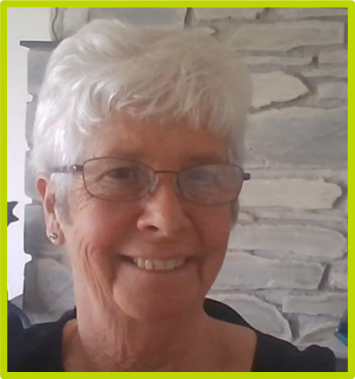
Meet your trainers!


Jane McFall - Scomis Product and Education Specialist

Jane has worked for Scomis for 7 years and has 30 years’ experience in Education.


Attendees on our courses on School Administration, Examinations Procedures, Effective Use of SIMS, Core Arbor, Core Bromcom and Online Safety will have Jane as their tutor.


Read more about your trainer, Jane

image.

Sue Donkersley - Scomis Product Specialist

Sue has worked for Scomis for over 22 years and has 32 years’ experience in Education.


Attendees on our courses on Examinations, School Administration and Core MIS will have Sue as their tutor.


Read more about your trainer, Sue

image.

Self-directed courses - free for all customers

Scomis provides free customer access to self-directed digital learning courses on our ScoLearn platform covering core aspects of using SIMS so you can learn any time, any place and at your own pace.

Get started on ScoLearn

How to access courses on ScoLearn

You do not need to make a booking for any courses on ScoLearn. Simply sign up for an account! Here's your short guide to setting up an account and getting started.

Finally, don't forget you can watch any of our 30-minute masterclasses on our YouTube channel in our 30-Minute Masterclasses playlist.

 
This message was sent to using NewZapp. Follow this link to .
POWERED BY
NewZapp Communications